
Look up parts
Search by part number, engine model or description. Check the matching products and any details that still need confirming.

AI & MCP Access
Look up part numbers, check product details and prepare an enquiry in your AI conversation.
AI connections are not available on this site yet.
A simple way to work
MCP is a connection that lets your AI app use RigForce tools. Find parts, share a list or photos, and prepare an enquiry without starting over.
Search by part number, engine model or description. Check the matching products and any details that still need confirming.

Share what you have: part numbers, a document, photos or a written request. You do not need to select a product first.

Check your request, contact details and files. Confirm the summary before sending it to the RigForce team.
Prices, availability, fitment and delivery need confirmation. Sending an enquiry does not place an order.
Step-by-step guide
Follow these four steps. The illustrations are examples, and your AI app may look different.
Only approve a connection you started. If your app asks for a key instead, use Connect with a key.
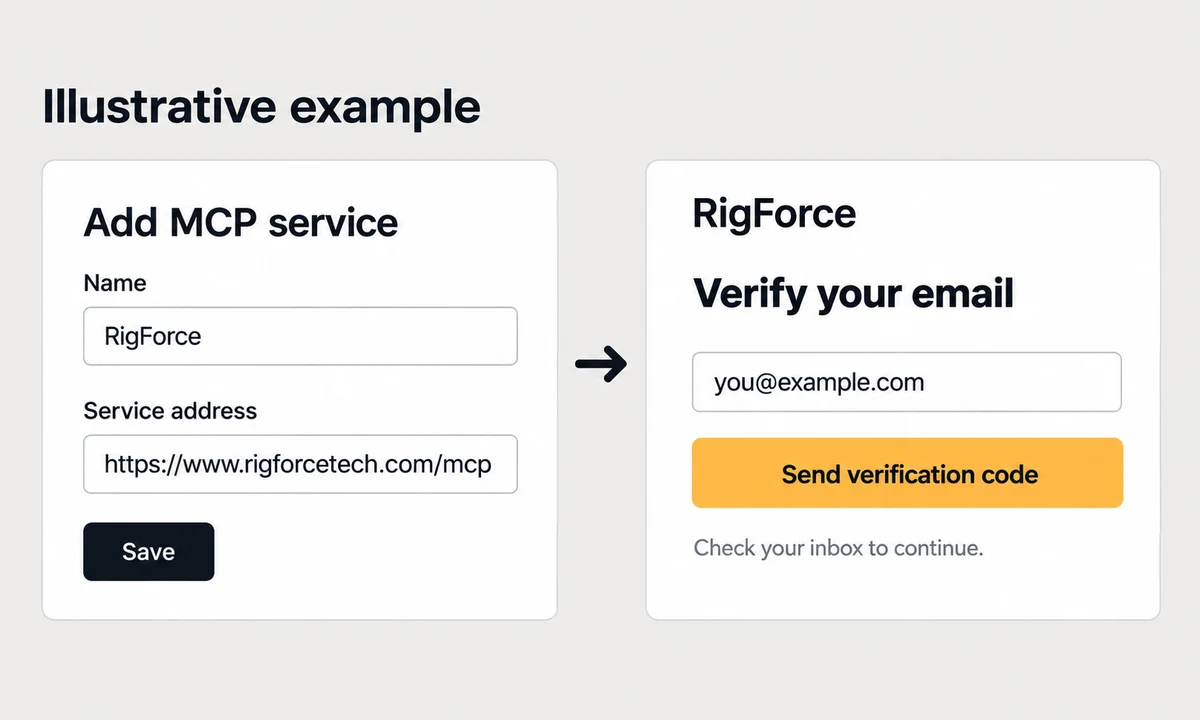
Type your request in your AI conversation. Include the part number and engine model when you have them.
Check the results before choosing a part. No match, several candidates or missing details may mean the team needs more information.
Example messages to try
Use RigForce to look up [part number] for my [engine model]. Show the matching products and what still needs checking.
I do not have a part number. Help me prepare an enquiry for the parts in my photos.
Replace the bracketed text with your details. These are example requests, not search results.

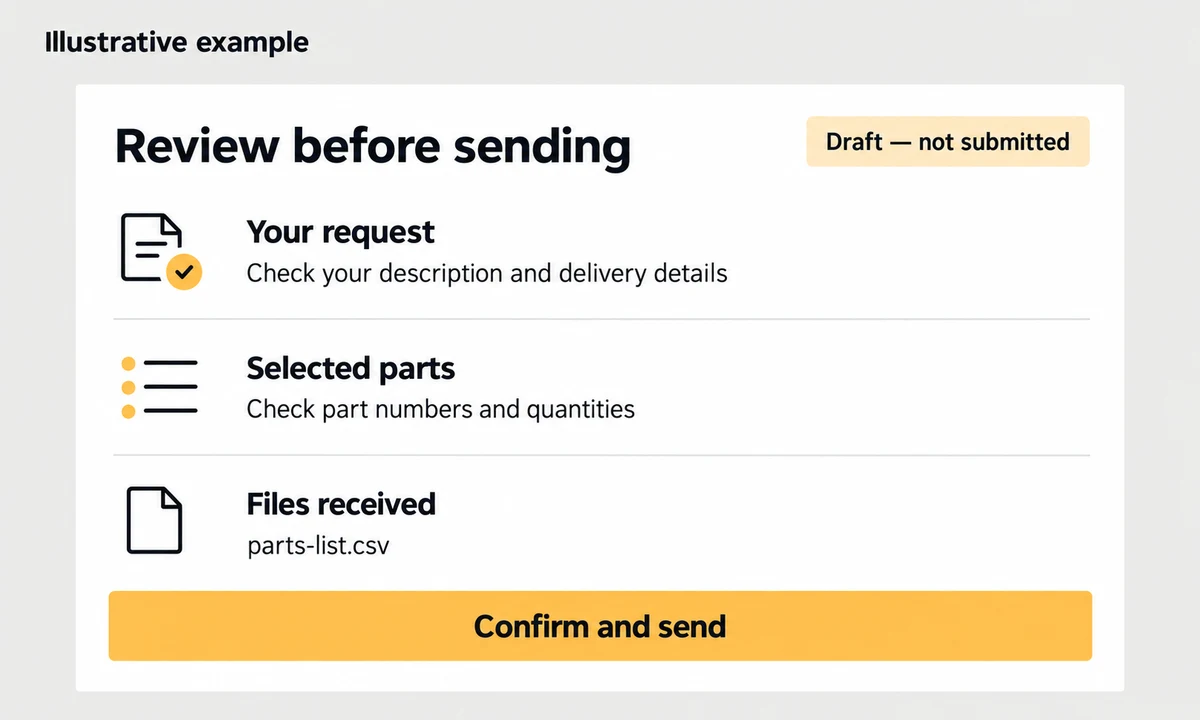
An AI app seeing your attachment does not mean RigForce has received it. Check the file list before submitting.
Illustrative example
parts-list.csv
Received
File received. Enquiry not submitted yet.
Up to 5 files, 10 MB each and 25 MB in total. JPG, PNG, WebP, PDF, Excel, CSV, Word and TXT are supported. Unsubmitted files expire after 24 hours. Files are not scanned for viruses. If an upload stops, choose the original file again to retry.
If the result is unclear, check the same draft for an enquiry number before trying again. An enquiry number confirms receipt; it does not confirm an order or email delivery.
Your connections and enquiries
Sign in with the email you use for your enquiries. Manage connected apps and keys, or open a draft to add files.
AI connections and sign-in are not available on this site yet. You can still search parts or send an enquiry on the website.
We will send a verification code to this address. The code expires after 10 minutes.
Check the app and the actions it is requesting. Only continue if you started this connection.
A key is a private code that lets your AI app connect. Use one only if your app supports keys or custom authorization headers.
Copy your key when it appears and save it securely. You cannot view it again. Do not paste it into a chat or share it with others.
To replace a key, create a new one, update your AI app, then turn off the old key. You can have up to 5 active keys. Keys last 90 days; sign-in connections and this page’s session last one hour.
Check the contact details in each enquiry before sending it. Updating your details does not change enquiries already submitted.
Open a draft to add files or review it. Submitted enquiries show an enquiry number.
Review the complete request and file list before confirming. Uploading files does not submit an enquiry.
Up to 5 files · 10 MB each · 25 MB total. Files are not scanned for viruses.
For an incomplete upload, select the original file again to retry. To use a different file, remove the incomplete upload first. Received files stay attached.
A little help
Try another reference or add the engine model. If there is no match or some details are missing, prepare an enquiry with what you know. A photo or parts list can help the team check. No matching result does not mean the part cannot be supplied.
Reconnect from your AI app and verify your email when asked. If you use a key, sign in above to check whether it has expired or been turned off. Create a replacement if needed, then update your app.
Pause repeated requests and try again later. A service error is different from finding no products. If an enquiry already has a number, keep it rather than creating the same request again.
We record the searches your AI app sends us, including keywords, filters and the product information returned. Search records are kept for 180 days. This does not give us your full AI conversation. Submitted enquiries and their files are saved separately. Your account can access only its own enquiries and files.
If your app supports custom authorization headers, sign in above, create a key with the permissions you need, and add this header in your app’s connection settings:
Authorization: Bearer YOUR_KEYReplace YOUR_KEY with your private key. Never put it in a URL, shared prompt or source file.
Use https://www.rigforcetech.com/mcp with HTTPS Streamable HTTP. Supported protocol versions: 2026-07-28 and 2025-11-25. OAuth is the main sign-in method; access keys are an alternative for apps that support request headers.
| Client type | Configuration | Original files |
|---|---|---|
| Claude / ChatGPT remote connectors | Add a custom remote MCP connector where your product and account support it. OAuth is required when custom headers are unavailable. Product-specific connection remains unverified. | Do not assume chat attachments reach this service. Use the web upload fallback unless byte transfer has been verified. |
| Codex / IDE MCP clients | Add an HTTP MCP server using the address and supported OAuth or Bearer header settings. Exact configuration depends on the client version; not yet verified in these products. | A client with original-file access can use the restricted HTTP upload or small-file tool. |
| Protocol integration tests | See the repository's local verification record for the tested SDK and protocol coverage. | File acceptance requires a returned size and SHA-256 checksum, followed by the correct receipt association. |
products_search, products_details, products_match, procurement_info, contact_infoupload_prepare, upload_inline, upload_cancel and restricted binary uploadenquiry_prepare, enquiry_summary, enquiry_submitenquiry_receipt and authenticated downloads of your submitted filesUse a new UUID request_id for each intentional product query. For a transport retry, reuse the same ID and identical arguments. Returned search_id values can be explicitly linked to your enquiry draft. The service records received keywords, filters and the returned public product snapshot, including cached results and failures. It does not receive your complete AI conversation. Query records are retained for 180 days.
Create an enquiry draft, attach any original files, then call enquiry_summary. Show the complete summary to the customer. Submit with confirm: true and its current confirmation_hash only after the customer confirms. A saved enquiry number confirms receipt, not an order or email delivery.
JPG, PNG, WebP, PDF, Excel, CSV, Word and TXT are supported: 5 files, 10 MB each, 25 MB per enquiry. Call upload_prepare with a stable UUID upload_id, draft ID, file name and actual size. Send original bytes using PUT to its returned URL with your authorization and the returned X-Upload-Token header within 10 minutes. Retries must keep the same file identity and content.
upload_inline accepts Base64 for files up to 1 MB decoded. If your client cannot send the original bytes, open the returned link to this page, sign in and upload to that draft. Refresh the summary in the client afterwards. Unsubmitted files expire after 24 hours. Files are stored privately; receipt means received, not malware-scanned. No OCR or AI document interpretation is provided.
After an interrupted upload, reselect the original file on this page to resume the same upload, including after a page reload. To replace it, explicitly remove the incomplete upload here or call upload_cancel with its draft and upload IDs. Received files remain attached. Review the updated summary again before submitting.
Each customer shares limits across all keys and clients: 30 tool calls per minute, up to 1,000 query units and 500 returned product records per day. Batch references count separately. Search returns at most 20 records per page and 5 pages; details accept 5 IDs. Uploads allow up to 100 MB per customer per day, including failed transfers. Shared service budgets can reduce availability before these limits.
For quota_exceeded or busy_retry_later, stop automatic loops and retry later. For query_incomplete, keep the request ID and report that completion is unknown. For changed content use a new ID; do not treat service or logging errors as “no products found”. For product_changed_review_required, update the draft with enquiry_prepare and ask the customer to confirm its new summary. Files and successful saves survive notification failures, including exhausted email budgets.
Machine-readable website entry: llms.txt. Public pages link to their Markdown version. This aids discovery; it does not automatically install or authorize a connector in every AI client.
Talk to RigForce
Send your part numbers, photos or requirements. Include quantities and your delivery destination when you have them.
Send an Enquiry
Room 1205, Tower B, International Trade Center,
Guangzhou, Guangdong 510000, China
Multilingual sales and export team
Shenzhen, China